



Table of Contents
Introduction
Online shopping is moving beyond traditional search bars, filters, and product pages. In 2026, customers can increasingly ask AI assistants to compare products, check availability, recommend the right option, add an item to a cart, and help initiate checkout.
This development is creating a new category of digital commerce known as agentic commerce. In agentic commerce, an AI agent does more than answer questions.
With the correct permissions and technical connections, it can complete tasks on behalf of a shopper. However, an AI agent can only work effectively when a store provides accurate information, predictable interfaces, reliable APIs, and secure transaction flows.
This technical checklist explains how Shopify businesses can prepare for that shift and create a store that both people and AI agents can understand, trust, and use.
What Is an Agent-Ready Shopify Store?
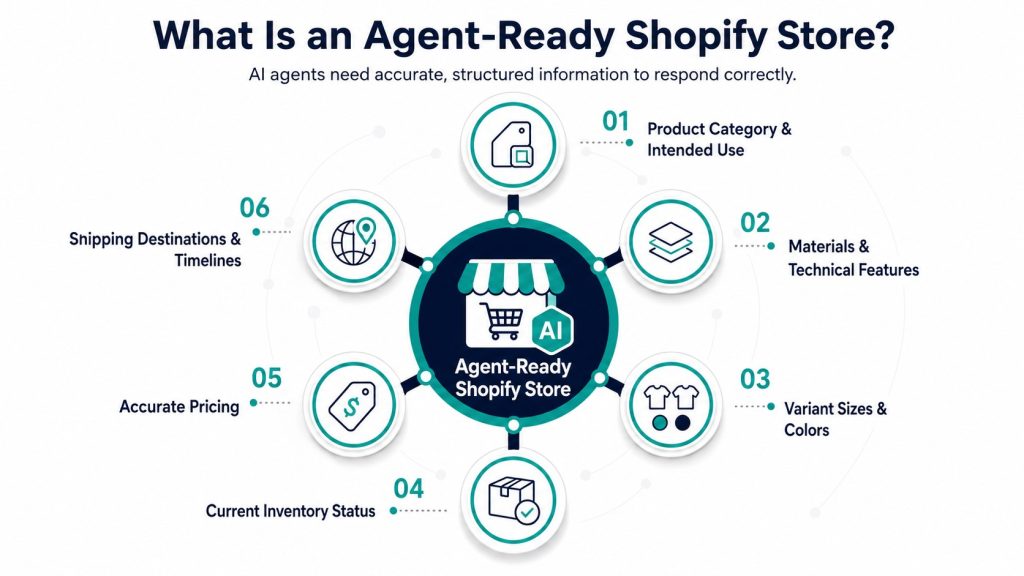
An agent-ready Shopify store is a storefront whose products, policies, inventory, customer workflows, and commerce functions can be accurately interpreted and safely used by AI systems.
A conventional Shopify store is designed primarily for human navigation. A shopper visits a collection, applies filters, opens product pages, selects a variant, and adds it to the cart.
An AI agent may approach the same journey differently. It might receive a request such as:
“Find a waterproof hiking jacket under $200, available in medium, that can arrive before Friday.”
To respond correctly, the agent needs access to several types of information:
- Product category and intended use
- Materials and technical features
- Variant-level sizes and colors
- Current inventory status
- Accurate pricing
- Shipping
- destinations and timelines
Prepare Product Data for AI Agents
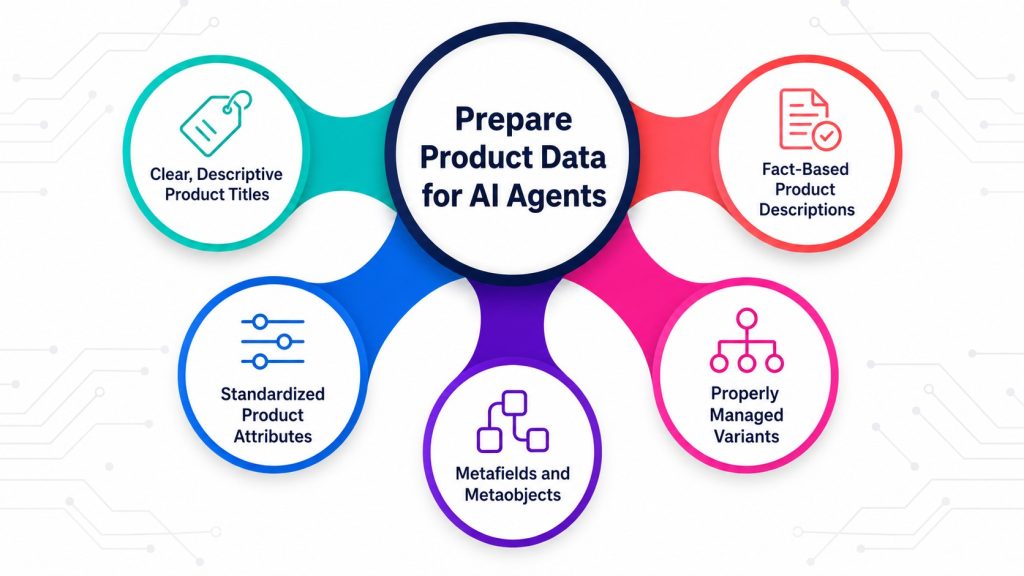
Product data is the foundation of agentic commerce. If information is vague, incomplete, or inconsistent, an AI agent may recommend the wrong item or avoid recommending it altogether.
Use clear and descriptive product titles
Product titles should identify the actual item without relying on internal terminology. A name such as “Performance Series X2” may mean something to the brand, but it tells an external system very little.
A stronger title would be:
Men’s Waterproof Trail Running Jacket- Performance Series X2
This title immediately establishes the audience, product type, key feature, and model.
Write fact-based product descriptions
Product descriptions should contain specific information that an AI system can retrieve and compare. Include:
- Materials and composition
- Product dimensions
- Intended uses
- Compatibility requirements
- Care instructions
- Warranty information
- Safety or usage limitations
- Items included in the package
Avoid placing essential specifications only inside product images. AI agents may not reliably extract every detail from image-based text.
Standardize product attributes
Use consistent terms throughout the catalog. For example, do not describe the same color as “navy,” “deep blue,” and “midnight” across different fields unless these represent genuinely different colors.
Create controlled values for:
- Color
- Size
- Material
- Product category
- Style
- Gender or audience
- Technical features
- Compatibility
- Condition
- Subscription eligibility
Manage variants properly
Every sellable variation should have a unique SKU and accurate variant-level information. Availability, price, image, weight, and barcode data should correspond to the specific variant rather than only the parent product.
Use metafields and metaobjects
Shopify metafields can hold product information that does not fit standard fields. Metaobjects can create reusable data structures for content such as size charts, specifications, product highlights, certifications, FAQs, and care guides.
Before exposing custom fields, confirm that:
- Each field has a clear definition.
- Values follow a consistent format.
- Measurement units are included.
- Fields are available through the appropriate storefront interface.
- Old and unused fields have been removed.
Improve AI Discovery and Structured Data
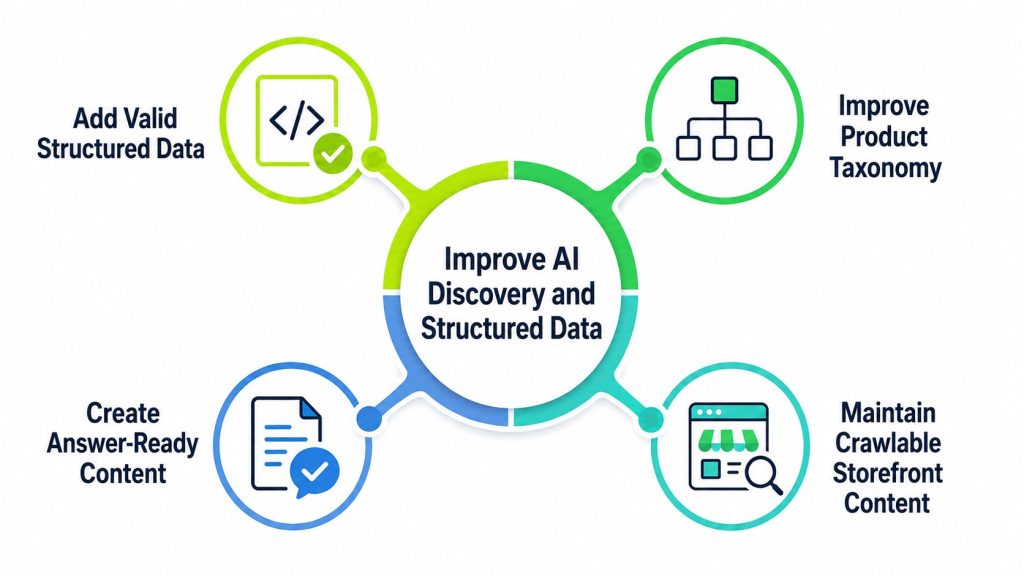
A complete catalog is valuable only if AI systems can discover and interpret it.
Add valid structured data
Implement and validate relevant Schema.org markup, including:
- Product
- Offer
- AggregateRating
- Review
- Organization
- BreadcrumbList
- FAQPage, where appropriate
Product structured data should reflect what customers see on the page. Price, currency, condition, availability, ratings, and identifiers must remain consistent with the Shopify catalog.
Avoid adding unsupported claims or marking up content that is hidden from users.
Improve product taxonomy
Every product should be assigned to the most accurate Shopify category. Organize collections around real shopping needs instead of relying only on campaign names or internal merchandising terminology.
Useful collections might address:
- Product type
- Use case
- Material
- Customer need
- Compatibility
- Style
- Season
- Professional application
Create answer-ready content
AI-driven discovery often starts with a detailed question rather than a short keyword. Product and collection pages should answer questions such as:
- Who is this product designed for?
- What problem does it solve?
- How does it compare with similar products?
- Which size or model should a customer choose?
- What are its limitations?
- Can it be used with another product?
Clear comparison tables, buying guides, FAQs, and concise product summaries can help both AI systems and human shoppers reach better decisions.
Maintain crawlable storefront content
Important product information should be available in rendered HTML and accessible through clean internal links. Review canonical tags, redirects, robots directives, duplicate pages, and JavaScript rendering to ensure discovery systems can reach primary content.
Prepare Shopify APIs and Integrations
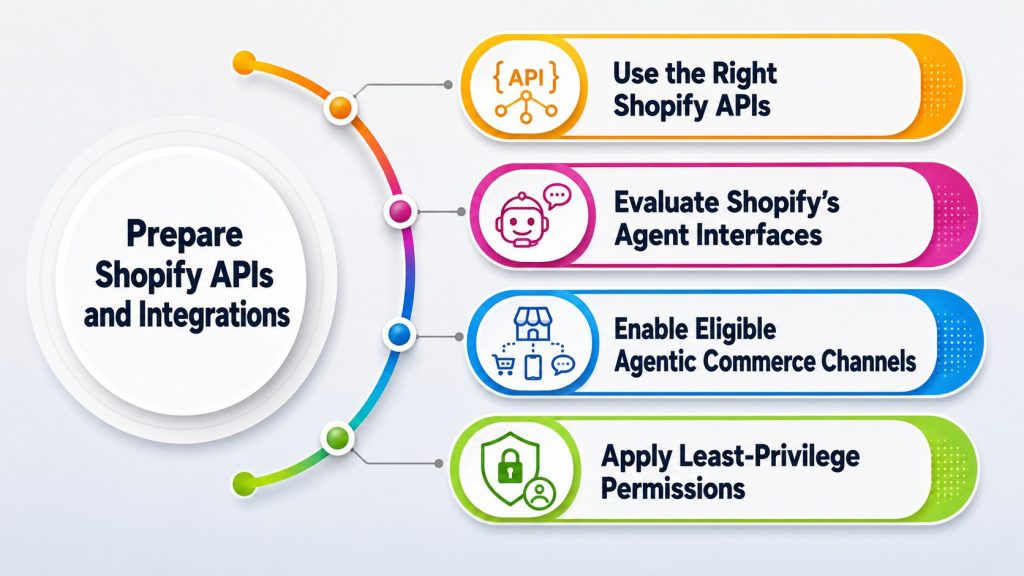
AI agents need stable interfaces for retrieving information and performing approved actions.
Use the right Shopify APIs
Common interfaces include:
- Storefront API: Product discovery, collection access, customer-facing content, cart creation, and cart management.
- GraphQL Admin API: Authorized backend operations involving products, inventory, orders, customers, and administration.
- Customer Account API: Authenticated customer experiences and account-related data.
- Webhooks: Event notifications for changes to products, orders, fulfillment, inventory, and other store data.
Shopify classifies its REST Admin API as legacy, and new public apps have been required to use the GraphQL Admin API since April 2025. New integrations should therefore be designed around GraphQL wherever applicable.
Evaluate Shopify’s agent interfaces
Shopify’s Storefront MCP can connect AI assistants with real-time catalog and commerce capabilities.
- A store-specific agent can use it to search products, answer shopping questions, manage carts, and guide customers toward checkout.
- Shopify also provides a Storefront Catalog MCP interface for product search and retrieval within a single merchant’s catalog.
- Businesses should evaluate these capabilities according to their storefront architecture, markets, permissions, and customer-experience requirements.
Enable eligible agentic commerce channels
- Review the AI shopping and agentic selling channels available to your Shopify store, including any eligibility, market, catalog, policy, and technical requirements.
- Enable only the channels that fit your commerce strategy, then verify that product details, availability, pricing, policies, cart actions, and checkout handoffs remain accurate in each supported experience.
Apply least-privilege permissions
Each app or agent integration should receive only the access scopes it requires. A product recommendation system, for example, should not automatically receive permission to modify orders or access unnecessary customer data.
Review:
- API access scopes
- Public and private tokens
- Token storage
- API versioning
- Rate-limit handling
- Error responses
- Audit logging
- Data retention
Never place sensitive Admin API credentials in browser-side code.
Optimize Product Discovery and Customer Experience
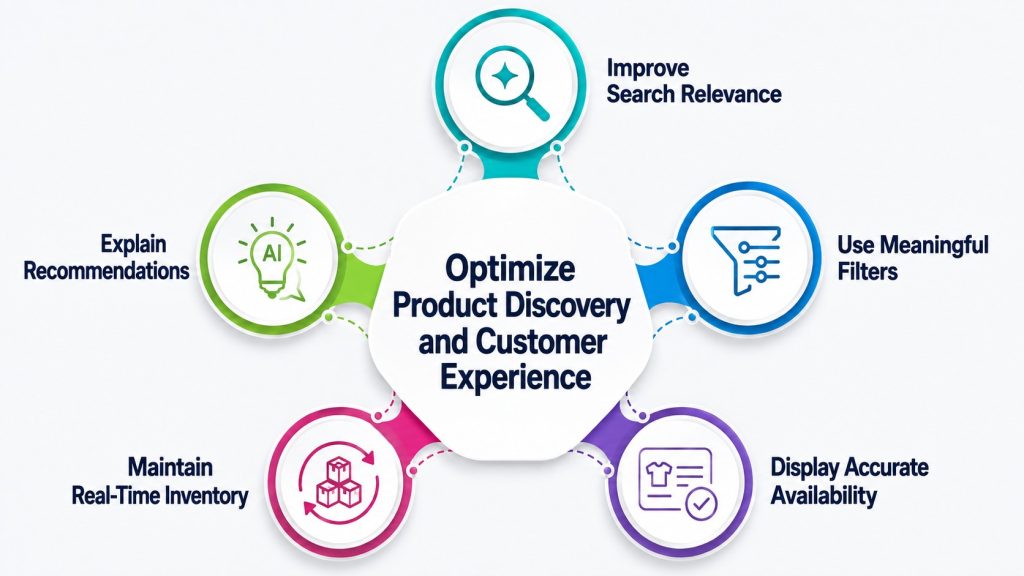
AI recommendations work best when the store’s own product-discovery system is well organized.
Improve search relevance
Create searchable product information using titles, descriptions, tags, categories, attributes, metafields, and synonyms. Search should understand common customer language, including alternate spellings and problem-based queries.
For example, a customer may search for “work-from-home chair,” even when the catalog calls the product an “ergonomic office chair.”
Use meaningful filters
Filters should help shoppers and agents narrow the catalog using attributes that influence a buying decision. These may include:
- Price range
- Size
- Color
- Material
- Availability
- Rating
- Compatibility
- Features
- Intended use
Filter values should be normalized. Duplicate values such as “Stainless Steel,” “stainless-steel,” and “SS” weaken discovery.
Display accurate availability
An agent must know whether an item is available before recommending or adding it to a cart. Synchronize inventory across Shopify, warehouses, point-of-sale systems, marketplaces, and order-management software.
Where appropriate, expose location, preorder, backorder, or estimated replenishment information clearly.
Maintain real-time inventory
Keep stock availability accurate across Shopify and every connected sales channel. Use dependable inventory synchronization, webhooks, and reconciliation processes so AI agents do not recommend unavailable products or add incorrect quantities to a cart.
Where inventory is split across locations, expose only the availability information needed for the customer’s market and selected fulfillment option.
Explain recommendations
If an on-site agent recommends a product, it should explain why. A useful response might state that the item matches the customer’s requested size, material, budget, and intended use. This gives shoppers a basis for evaluating the suggestion and reduces the risk of irrelevant recommendations.
Make Cart and Checkout Agent-Friendly
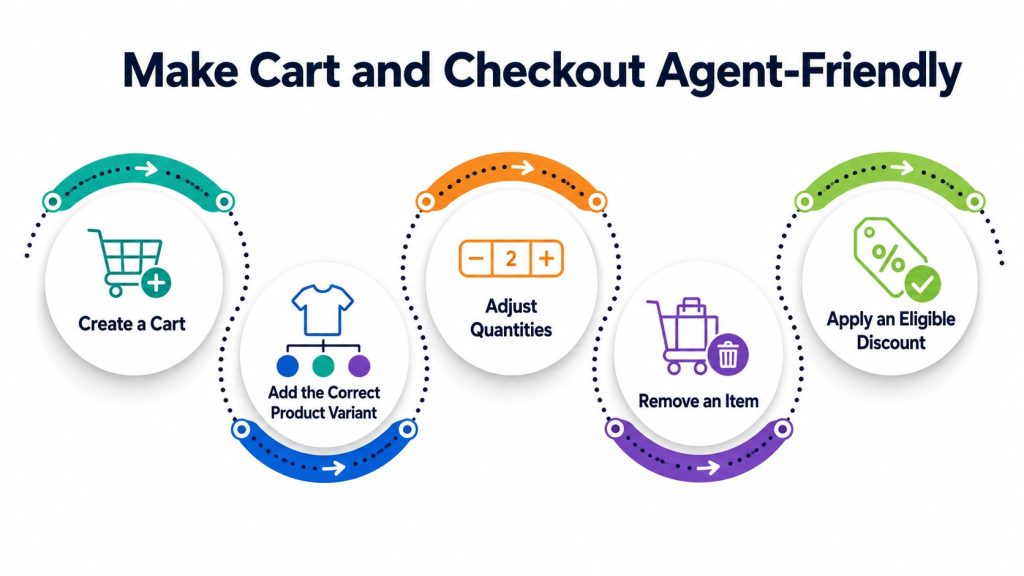
The transition from recommendation to transaction is where agentic commerce becomes operationally valuable.
Use Shopify’s Storefront Cart API for supported cart workflows. It can work with Shopify Functions and redirects shoppers to Shopify’s web checkout.
Test whether an authorized agent can:
- Create a cart
- Add the correct product variant
- Adjust quantities
- Remove an item
- Apply an eligible discount
- Update buyer information where permitted
- Retain cart state
- Generate a valid checkout URL
Do not allow an agent to silently replace an unavailable item, increase a quantity, choose a subscription, or accept additional terms without customer approval.
Use Shopify Functions or supported validation mechanisms to enforce business rules at the platform level. Do not depend entirely on the agent’s prompt or interface logic.
Improve Store Performance and Technical Reliability
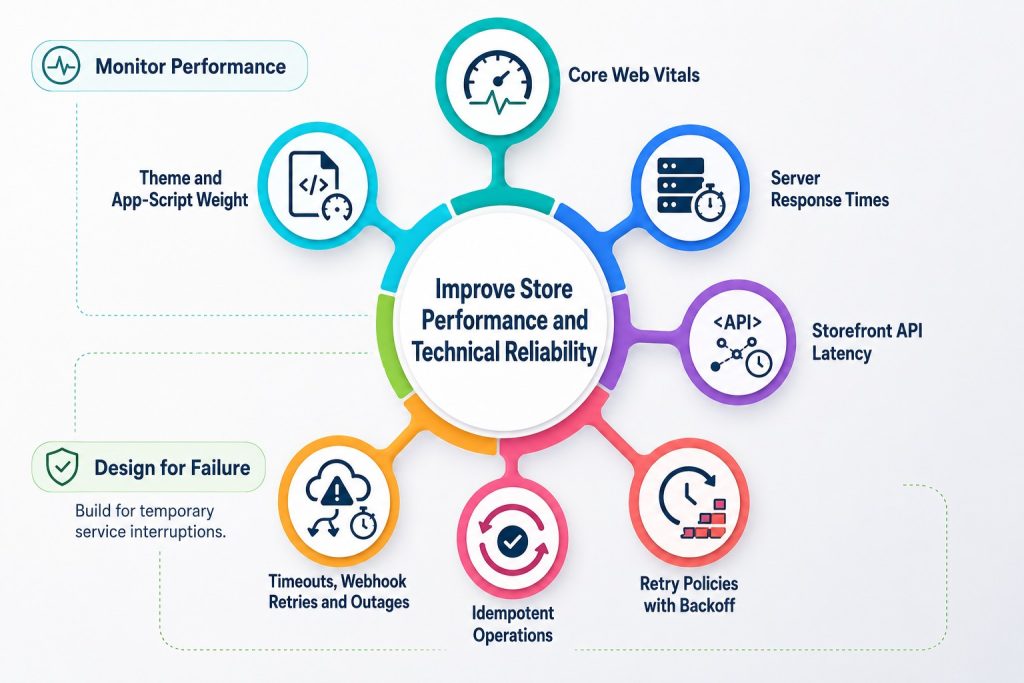
AI agents expect fast, predictable responses. Slow pages, stale cache data, API failures, and inconsistent inventory can interrupt both human and agent-led journeys.
Monitor important performance areas
Track:
- Core Web Vitals
- Theme and app-script weight
- Server response times
- Storefront API latency
- Search response time
- Cart mutation success rate
- Checkout redirects
- Webhook processing delays
- Inventory synchronization
- Third-party service failures
Compress images, remove unnecessary scripts, reduce duplicate app functionality, and use caching carefully. Dynamic information such as price and inventory should never remain stale long enough to mislead a shopper.
Design integrations for failure
API calls can time out, webhooks may be retried, and external systems can become temporarily unavailable. Agent-ready architecture should include:
- Idempotent operations
- Retry policies with backoff
- Duplicate-event protection
- Timeout handling
- Queued processing
- Dead-letter monitoring
- Clear error messages
- Fallback paths to human support
An agent should never report that an order was placed unless the store has returned a confirmed result.
Strengthen Security and Data Governance
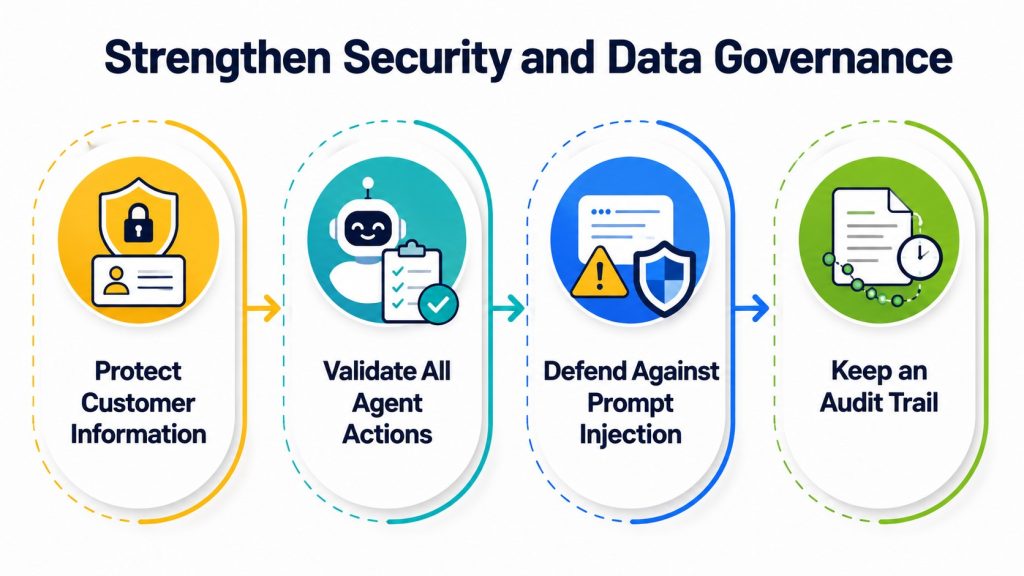
Agentic commerce introduces new security considerations because automated systems can perform actions at greater speed and scale.
Protect customer information
Collect only the data needed for the current task. Separate anonymous product discovery from authenticated account functions. Sensitive information should require secure authentication and explicit authorization.
Validate all agent actions
Treat AI-generated requests as untrusted input. Validate:
- Product and variant IDs
- Quantity limits
- Discount eligibility
- Customer authentication
- Shipping destinations
- Inventory availability
- Pricing
- Requested permissions
Defend against prompt injection
Product reviews, imported descriptions, support content, and user-generated fields can contain instructions designed to manipulate an AI system. Separate trusted system instructions from untrusted catalog or customer content.
An agent should never treat text found inside a product description, review, or uploaded document as permission to perform an action.
Keep an audit trail
Log significant agent activity, including:
- Agent or integration identity
- Customer authorization
- Data accessed
- Tools or endpoints used
- Cart changes
- Order-related actions
- Failures and retries
- Human overrides
Define clear policies for retention, deletion, consent, access control, and incident response.
Connect Shopify With Core Business Systems
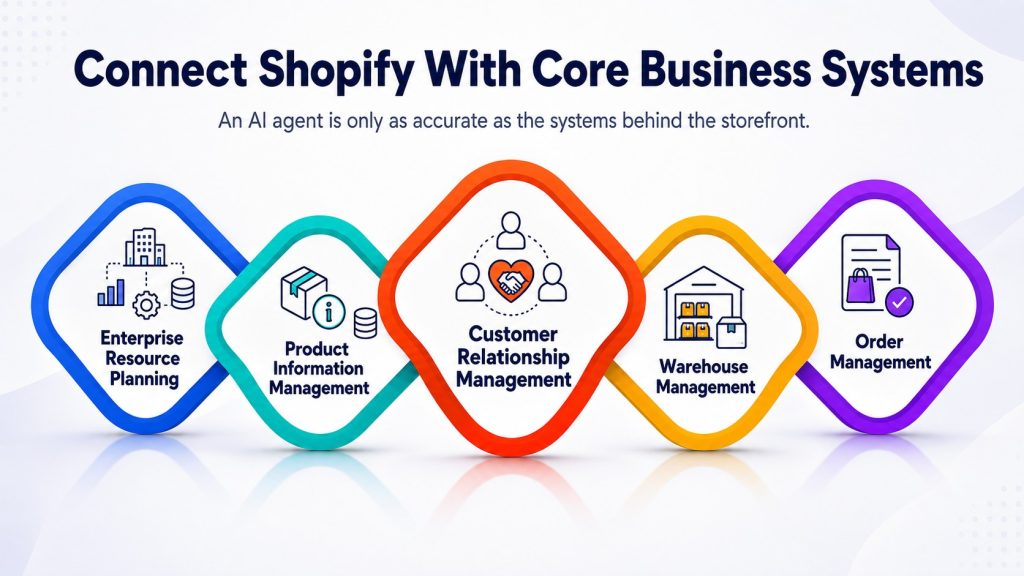
An AI agent is only as accurate as the systems behind the storefront.
Connect Shopify with the systems responsible for:
- Enterprise resource planning
- Product information management
- Customer relationship management
- Warehouse management
- Order management
- Customer support
- Marketing automation
- Loyalty programs
- Returns management
- Analytics and reporting
Choose a source of truth for each data type. Shopify may be the primary source for storefront merchandising, while another platform manages warehouse inventory or product specifications.
Test and Measure Agent Readiness
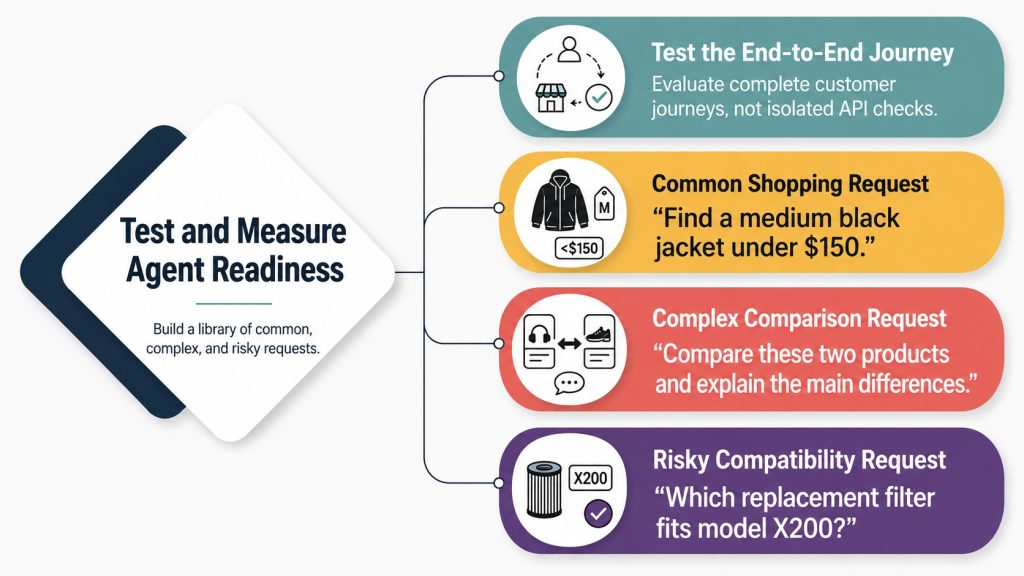
Agent readiness should be tested as an end-to-end customer journey, not as a collection of isolated API checks.
Build a test library containing common, complex, and risky shopping requests. Examples include:
- “Find a medium black jacket under $150.”
- “Compare these two products and explain the main differences.”
- “Which replacement filter fits model X200?”
- “Add two units, but do not place the order.”
- “Show products that do not contain a specific ingredient.”
- “Apply my discount if it is eligible.”
- “Cancel the previous cart change.”
- “Find an alternative because this size is unavailable.”
Test permission boundaries and adversarial behavior as well. Confirm that agents refuse unauthorized account access, reject malicious instructions, and request confirmation before high-impact actions.
Repeat these tests whenever the theme, product model, apps, APIs, checkout rules, or connected business systems change.
Track AI analytics and performance
Measure AI-driven product discovery, referral traffic, assisted conversions, and sales wherever the platform or channel provides reliable reporting.
- Use consistent campaign parameters, referral data, server-side events, order attributes, and analytics integrations where supported.
- Track metrics such as AI-referred sessions, products discovered, cart creation rate, checkout handoff rate, conversion rate, revenue, error rate, and human-assistance rate.
- Because attribution standards for agentic commerce are still developing, document how each channel defines an AI-assisted visit or sale before comparing results.
The Future of Shopify and Agentic Commerce
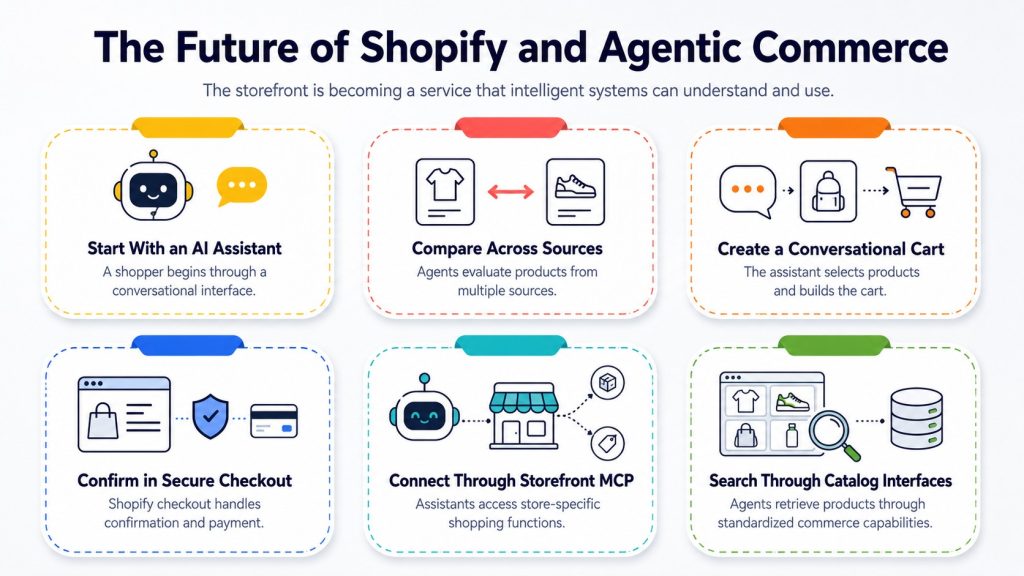
Agentic commerce is changing the storefront from a destination customers must navigate into a service that intelligent systems can understand and use.
- A shopper may begin a purchase through an AI assistant, compare products from several sources, create a cart through a conversational interface, and move to a secure Shopify checkout only when confirmation or payment is required.
- Shopify’s evolving agent tools already support important parts of this direction.
- Its Storefront MCP connects assistants with store-specific shopping functions, while its catalog interfaces allow agents to search and retrieve products through standardized commerce capabilities.
- Shopify’s Hydrogen developer preview has also introduced WebMCP capabilities that can expose storefront tools for catalog search, product viewing, cart management, checkout initiation, and order viewing.
- The businesses best positioned for this future will not necessarily be those with the most AI tools.
- They will be the ones with accurate product data, strong technical foundations, reliable integrations, secure permissions, and well-defined customer workflows.
Deepak Wadhwani has over 20 years experience in software/wireless technologies. He has worked with Fortune 500 companies including Intuit, ESRI, Qualcomm, Sprint, Verizon, Vodafone, Nortel, Microsoft and Oracle in over 60 countries. Deepak has worked on Internet marketing projects in San Diego, Los Angeles, Orange Country, Denver, Nashville, Kansas City, New York, San Francisco and Huntsville. Deepak has been a founder of technology Startups for one of the first Cityguides, yellow pages online and web based enterprise solutions. He is an internet marketing and technology expert & co-founder for a San Diego Internet marketing company.